Role
Senior Product Designer
Work Type
Design Takehome Assigment
Timeline
1 week
Context 👀
Happeo is an employee experience platform where teams create and manage internal content through Pages. Today, creating a page means deciding structure from scratch, formatting manually, and switching between tools. This leads to slow creation, inconsistent quality, and high cognitive load for non-expert users.
Objective 🎯
Design an AI-assisted experience that gets users from intent to structured page quickly, without disrupting the existing editor workflow.
Solution 💡
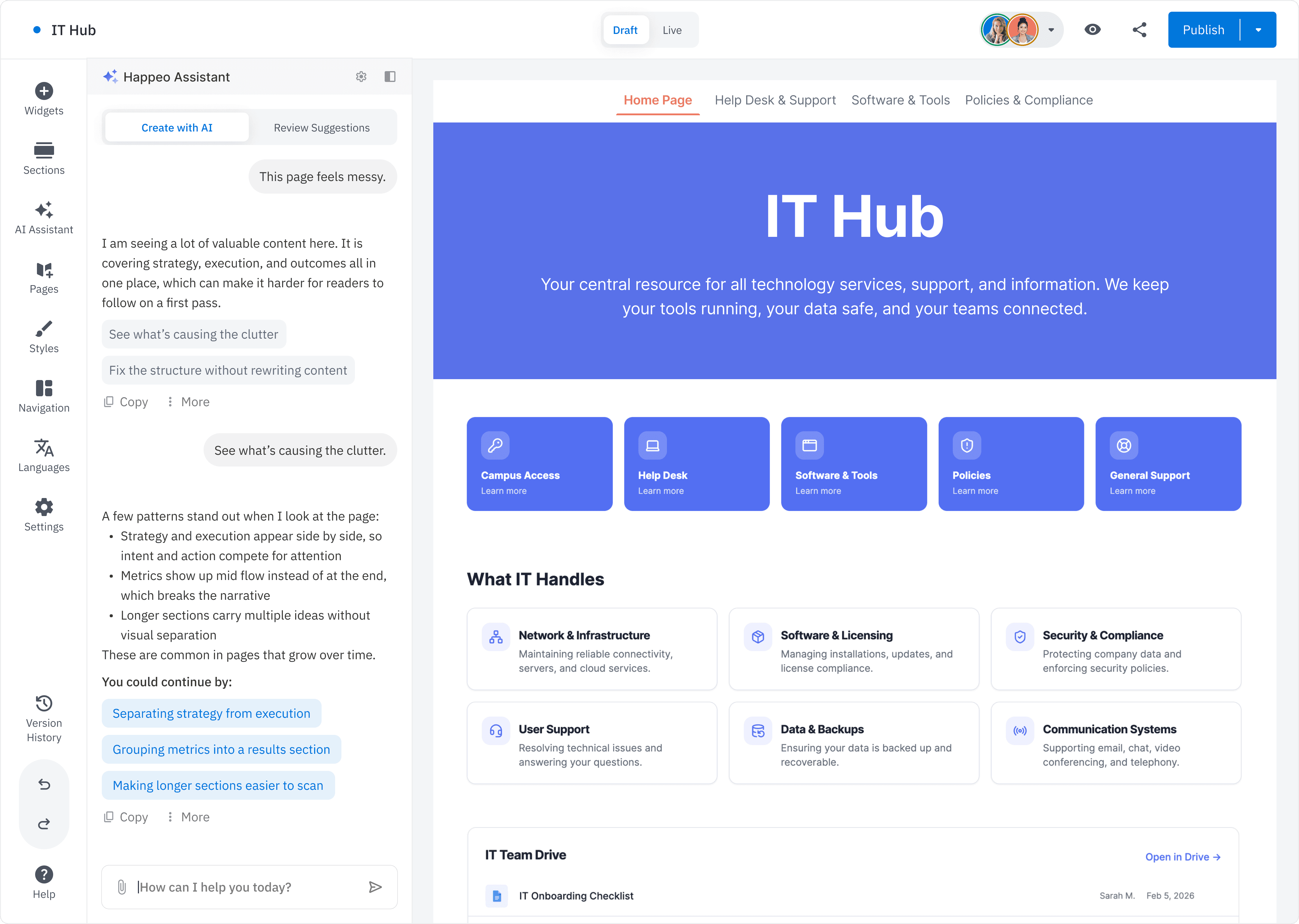
AI is embedded directly in the Pages editor at the moments that matter: entry, generation, and editing. Users stay in one flow, with full control over every suggestion.

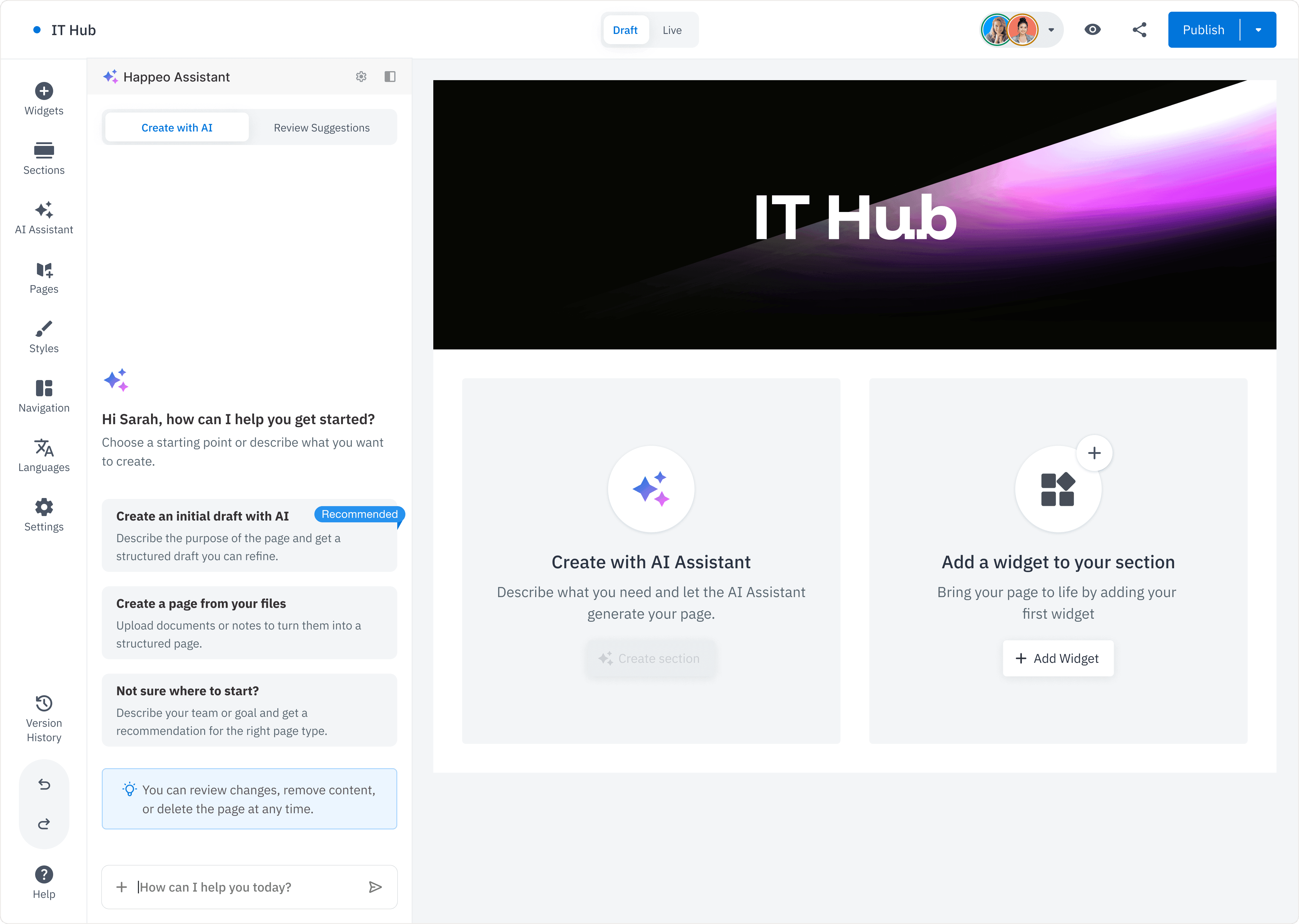
Guided Entry Point
AI is introduced directly within the editor, allowing users to start with assistance or proceed manually. This reduces friction at the start while keeping the experience familiar.
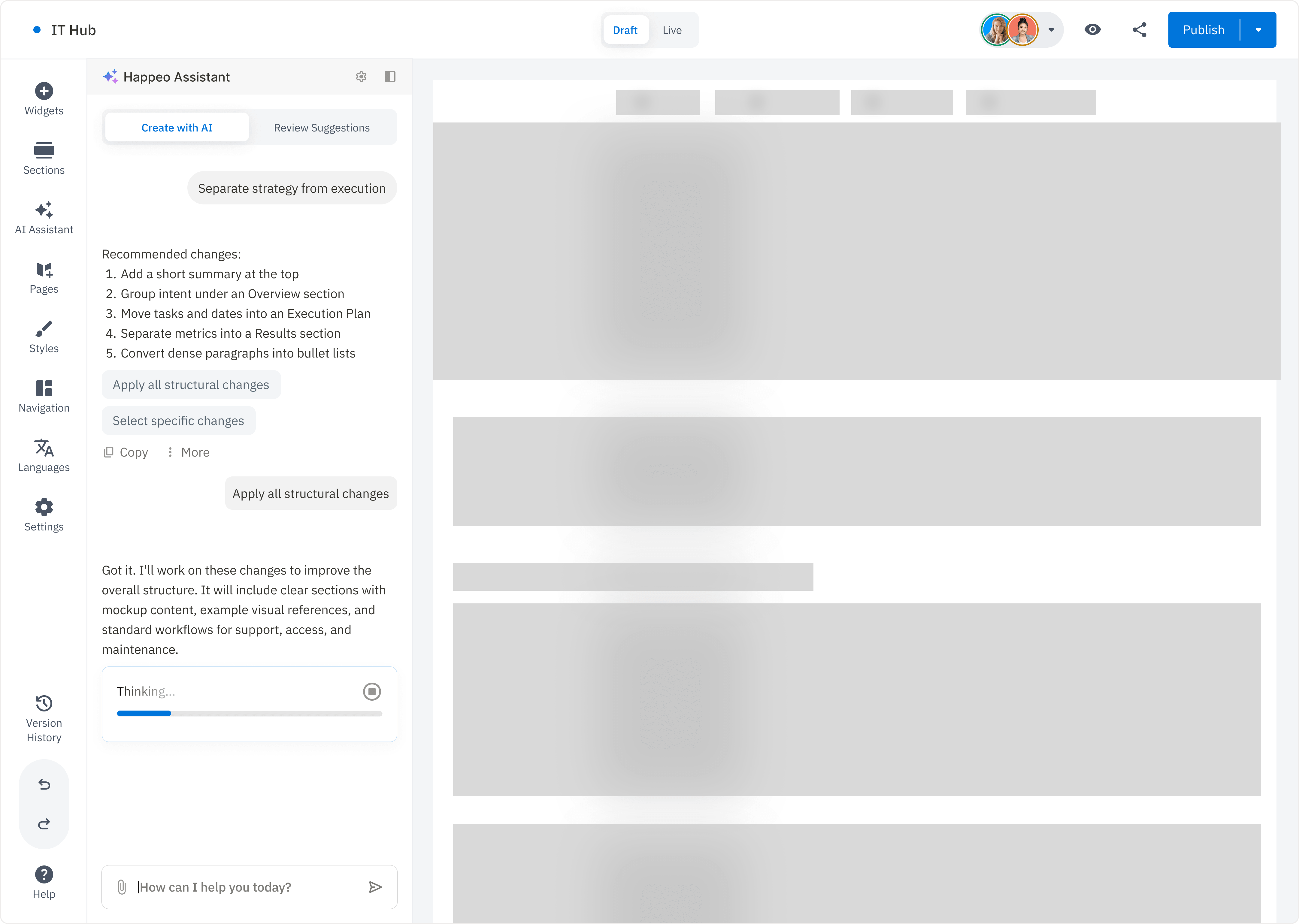
Intent to Draft Generation
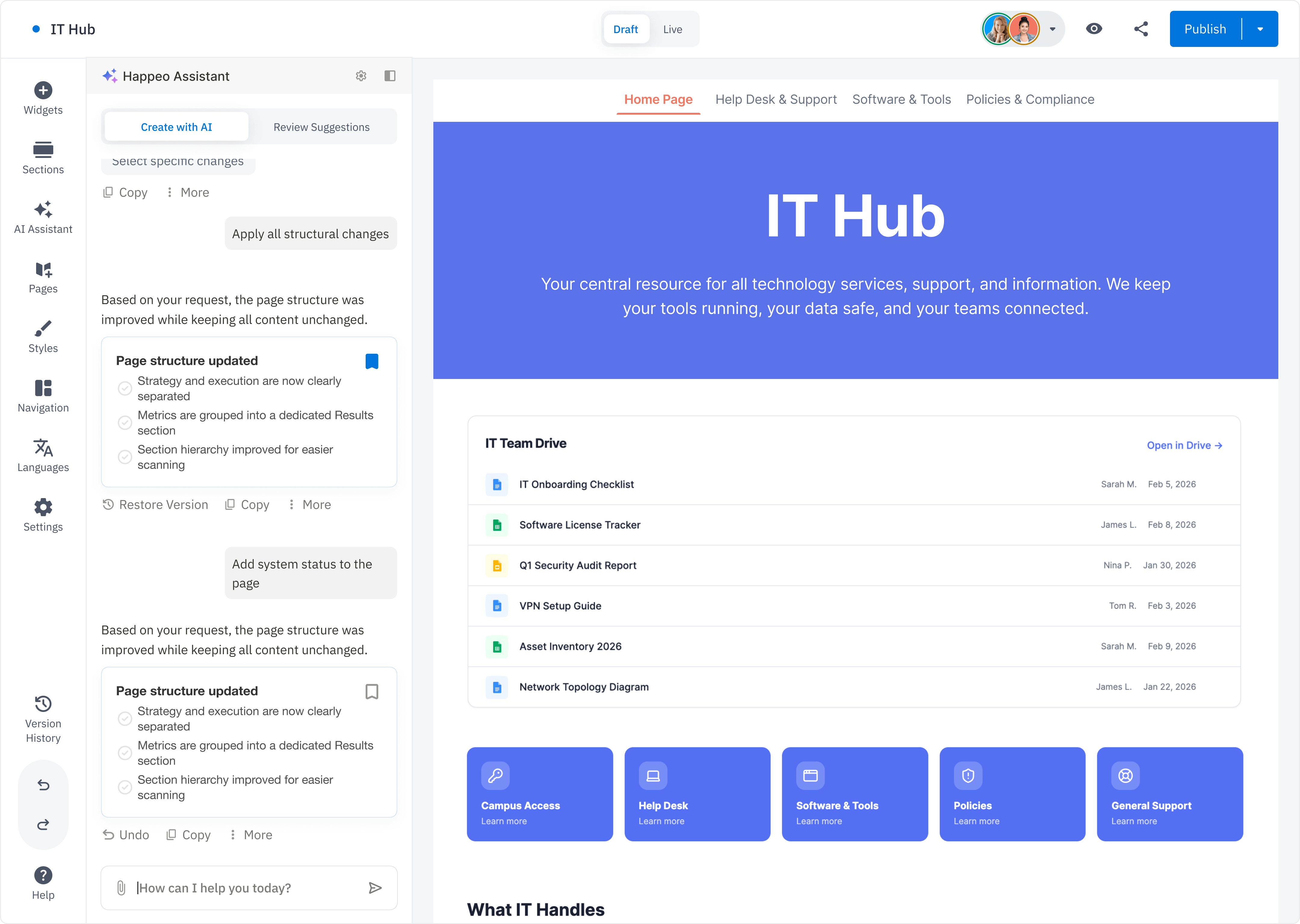
Users define intent through a guided chat interface, which translates their input into a structured page within the editor. This enables a fast shift from idea to a usable first draft.
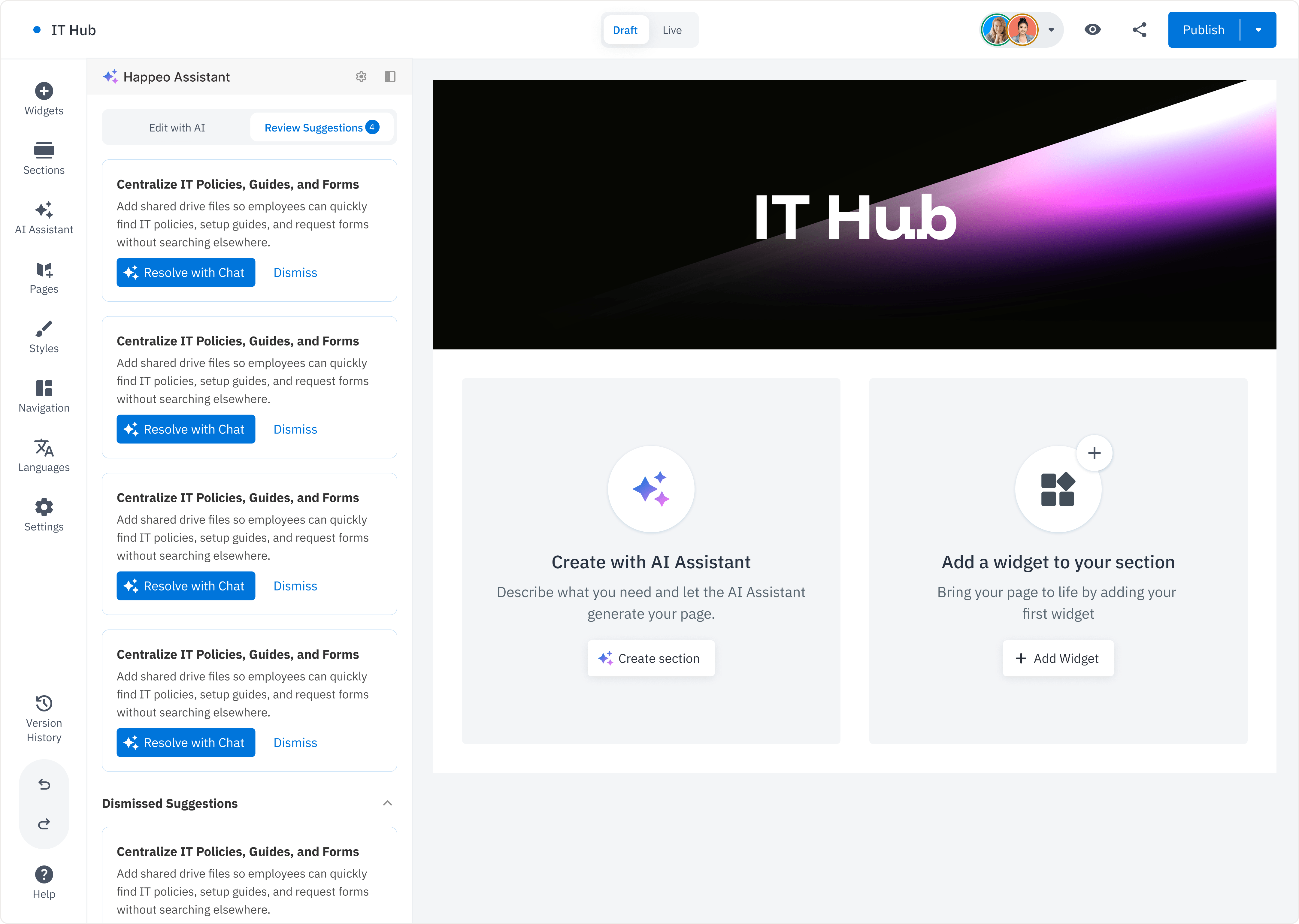
Contextual Suggestions
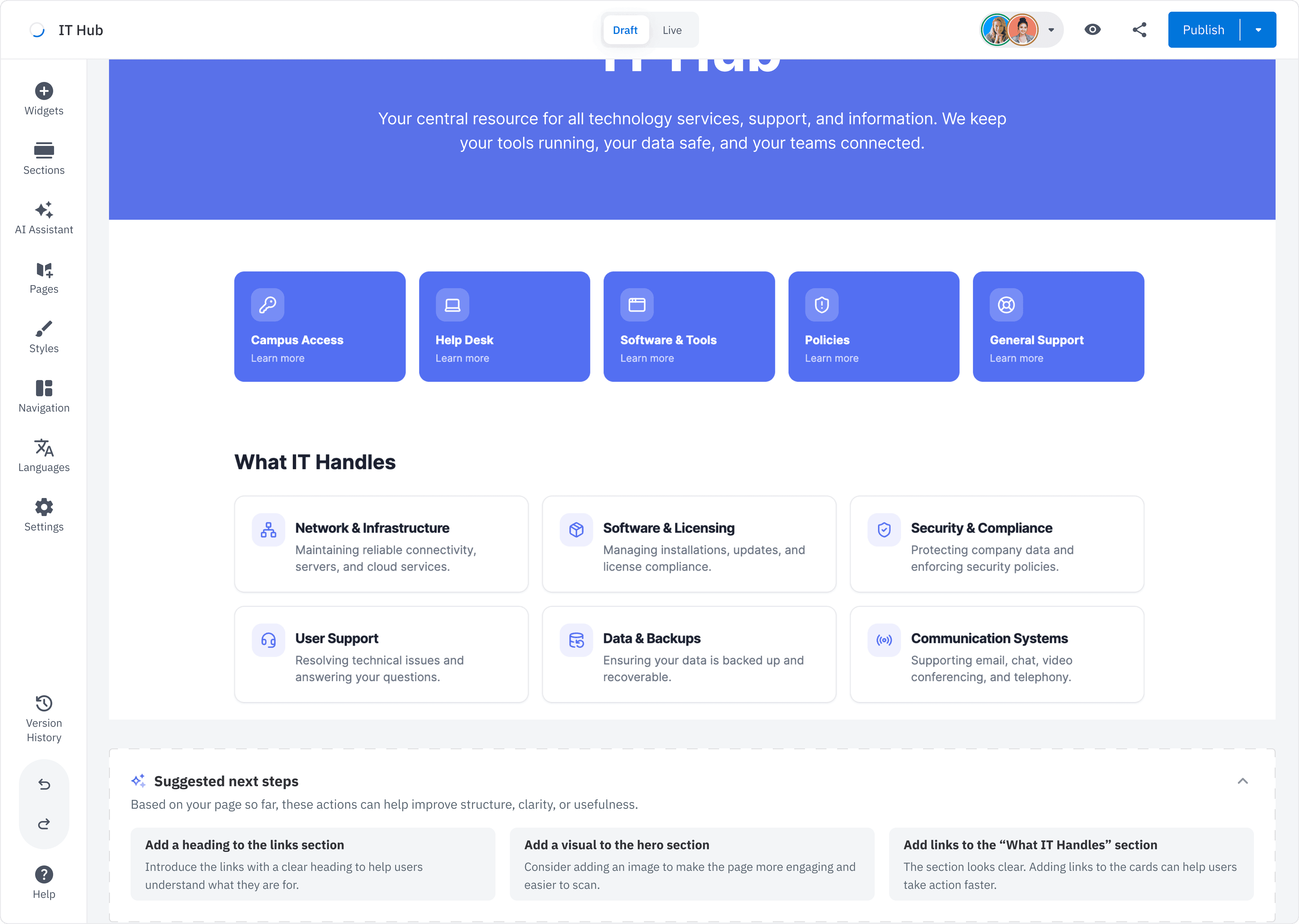
As users edit, AI surfaces relevant suggestions to refine content at a page or section level. These remain optional, supporting iteration without disrupting flow.
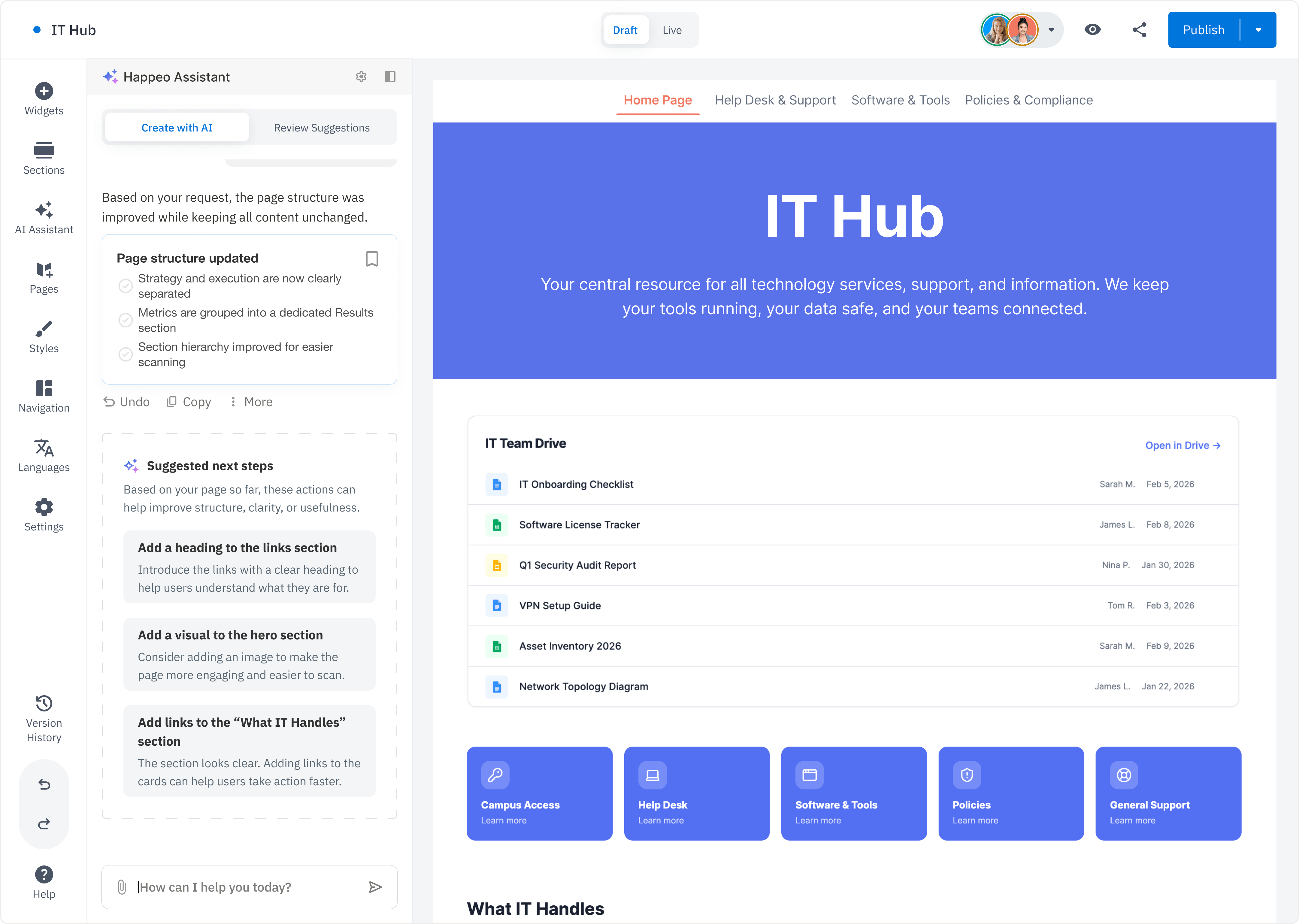
Version History and Control
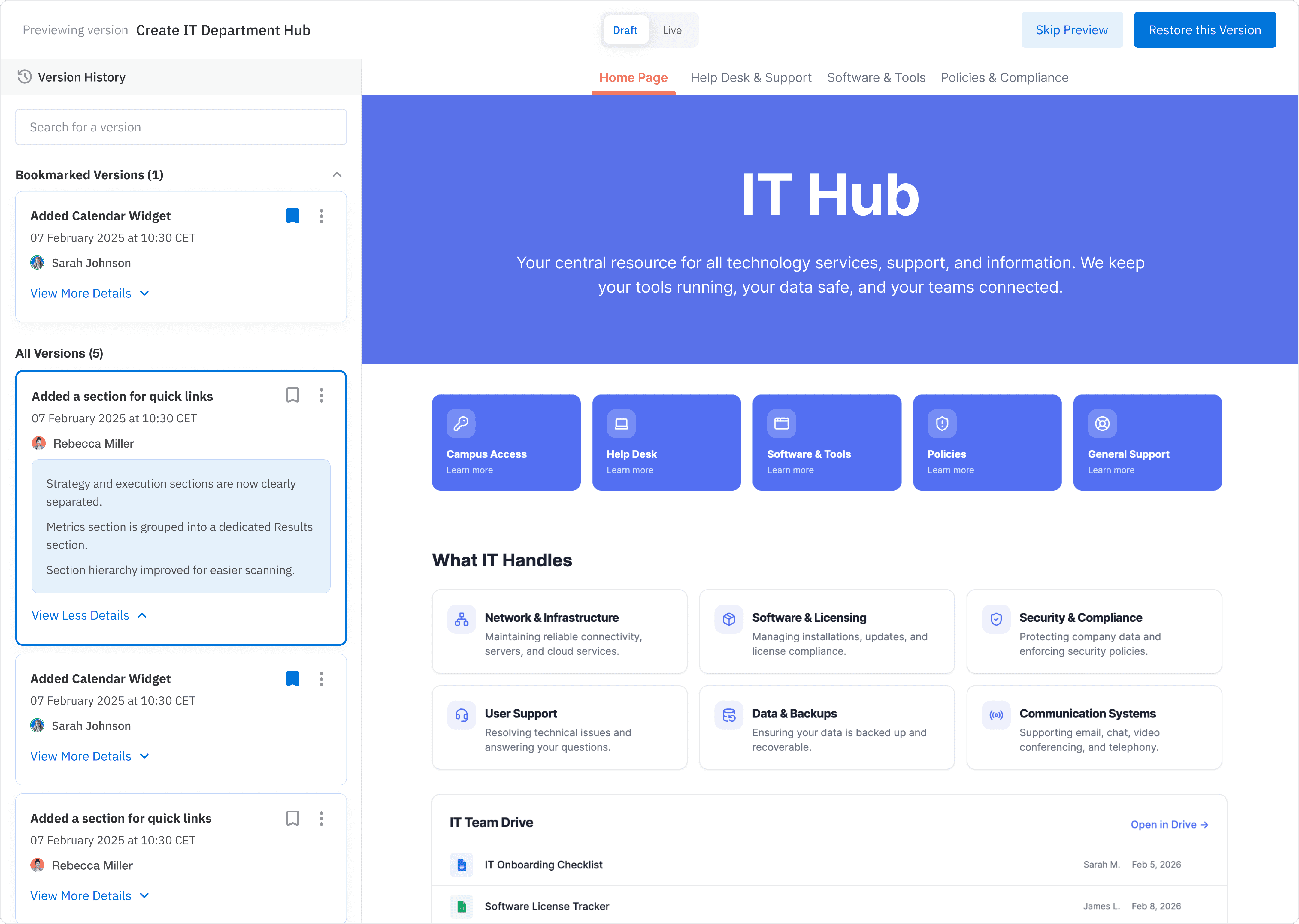
Each AI action is reversible, allowing users to review, apply, or discard changes. This ensures safe iteration while maintaining full control over the final output.
Expected Impact 💯
Faster page creation
More consistent structure across pages
Reduced dependency on skilled users
Improved confidence in editing
Reflections 💭
This project pushed me to:
Think beyond screens into systems and behaviors
Design AI interactions that feel assistive, not intrusive
Balance speed with user trust
It also allowed me to explore editor UX deeply, focusing on how users move from ambiguity to clarity within a single workflow.
Next Steps 🚀
Validate with usability testing
Measure creation time vs baseline
Explore collaborative editing with AI
Improve prompt guidance and templates